Say what you need.
Voice queries join the same conversation as typed requests. Tap to record, stop when you’re done, and send the request to your selected conversation.
Ask Main Agent, find a specialist, schedule recurring work and review results. Your agents, activity and account settings come together in Nexum Mobile.
iOS TestFlight pilot · Android & web availability confirmed during onboardingReal screens from the iOS pilot. Explore each area to see how requests, specialists, routines and settings fit together.
NEXUM MOBILE / WORKSPACE
Start with Main Agent, or open a specialist directly. Keep the request, handoff and response together.
Actual iOS pilot screen, captured in the simulator. Direct Search workspace shown before its first message; personal conversations are not shown.
View full screenshot ↗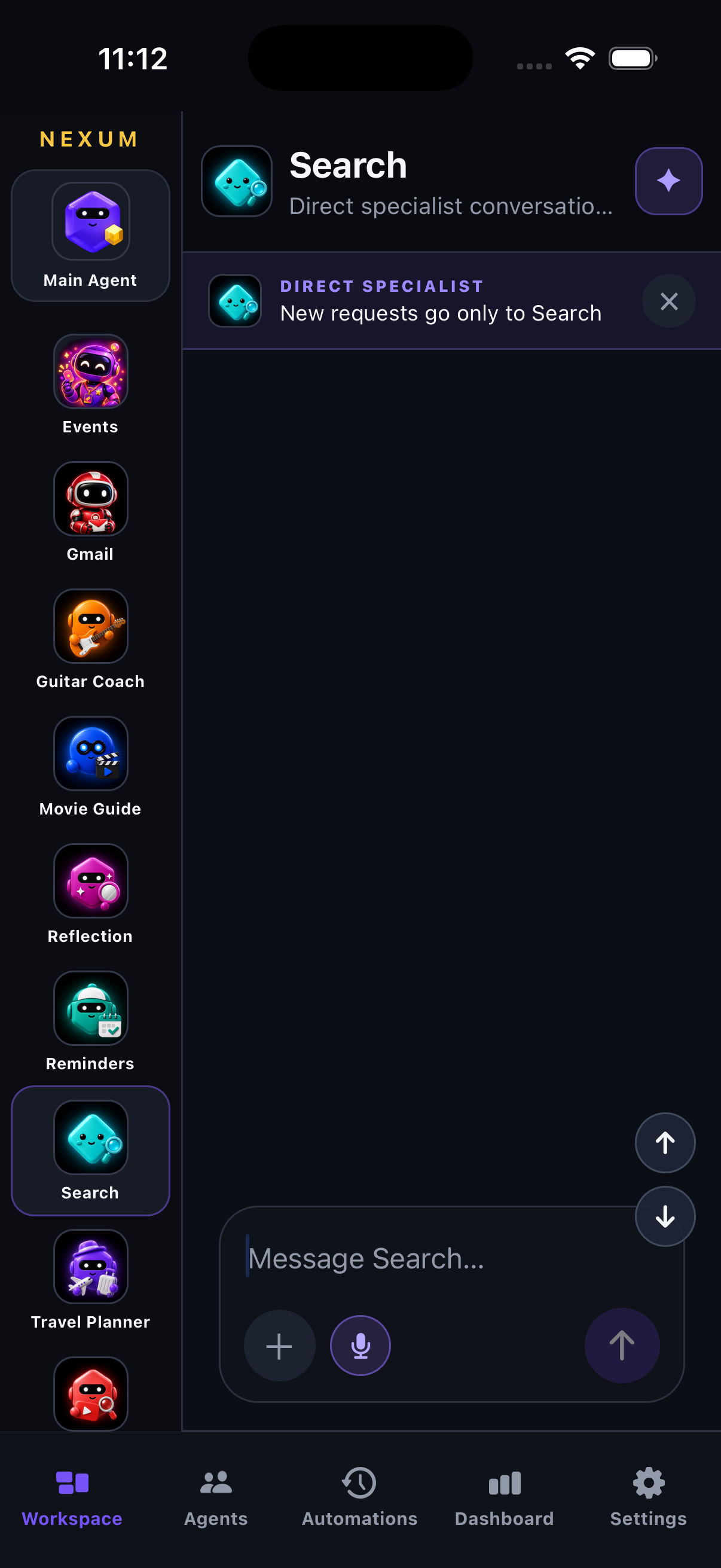
NEXUM MOBILE / AGENTS
Explore the specialists enabled for your workspace, understand what they do, and start from a suggested question.
Actual iOS pilot screen, captured in the simulator.
View full screenshot ↗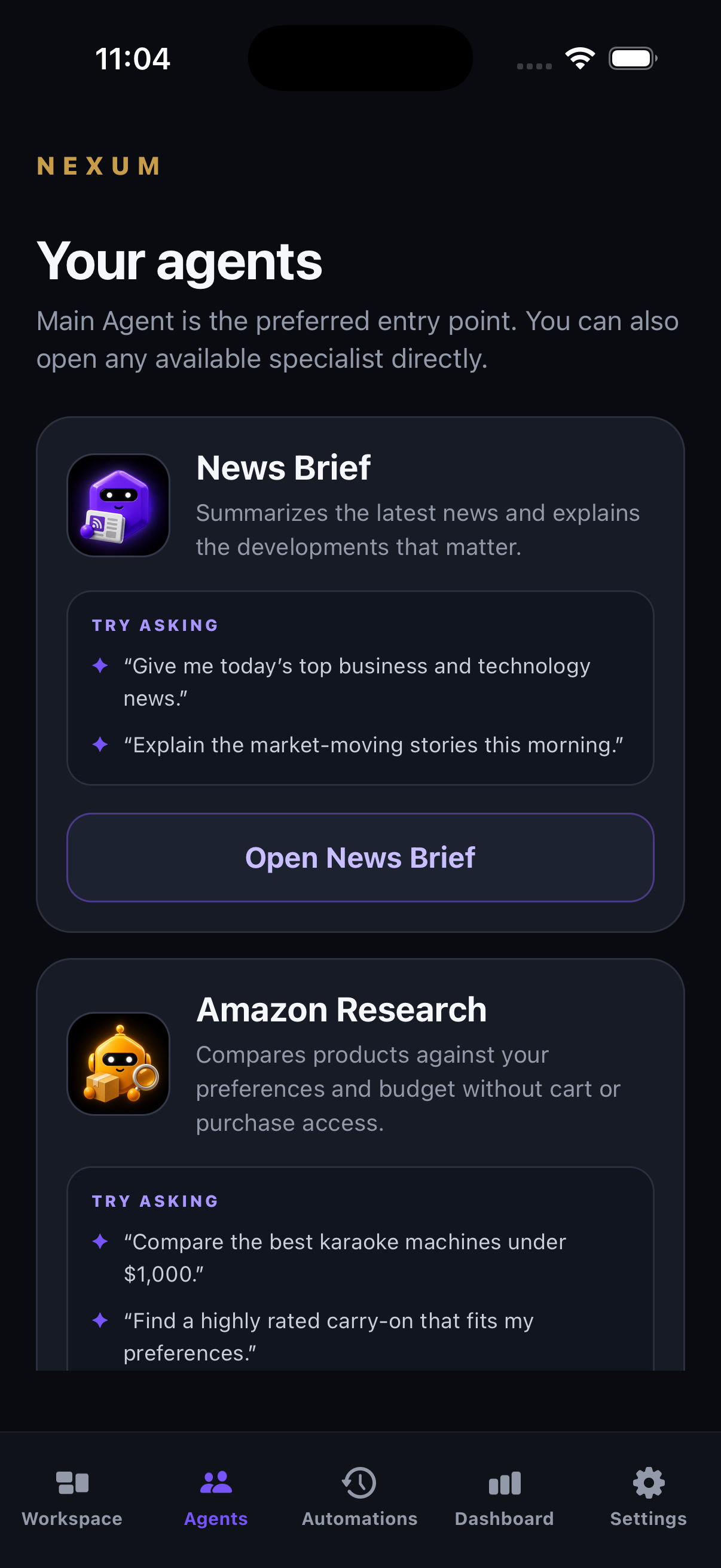
NEXUM MOBILE / AUTOMATIONS
Schedule a recurring brief or a Gmail inbox summary. Return to completed work and review the result inside Nexum.
Actual iOS pilot screen, captured in the simulator. Email contents are not shown. Run now queues work for the scheduler.
View full screenshot ↗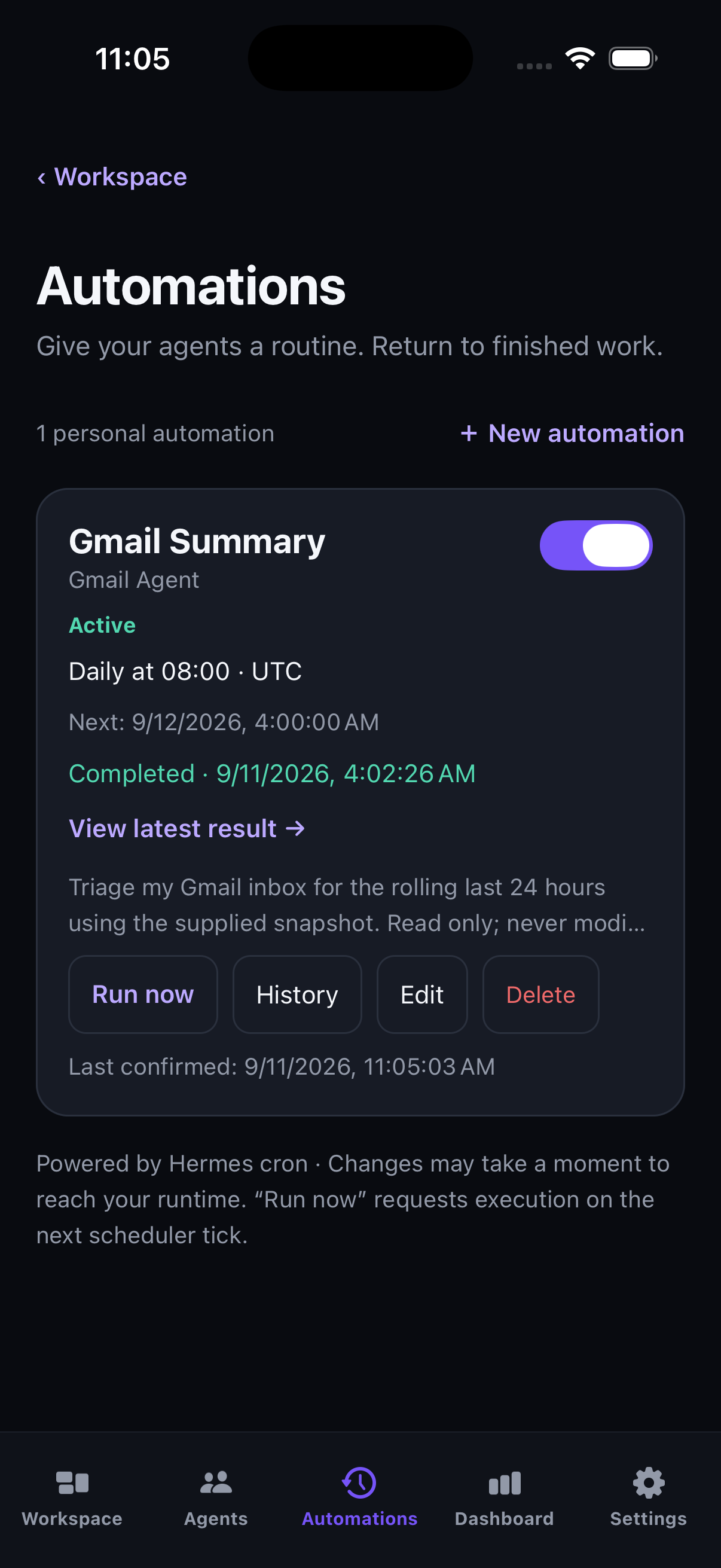
NEXUM MOBILE / DASHBOARD
A single view of recent runs, active work, approvals and agent health helps you follow your team’s activity.
Actual iOS pilot screen, captured in the simulator. Figures are a point-in-time pilot snapshot, not a performance guarantee.
View full screenshot ↗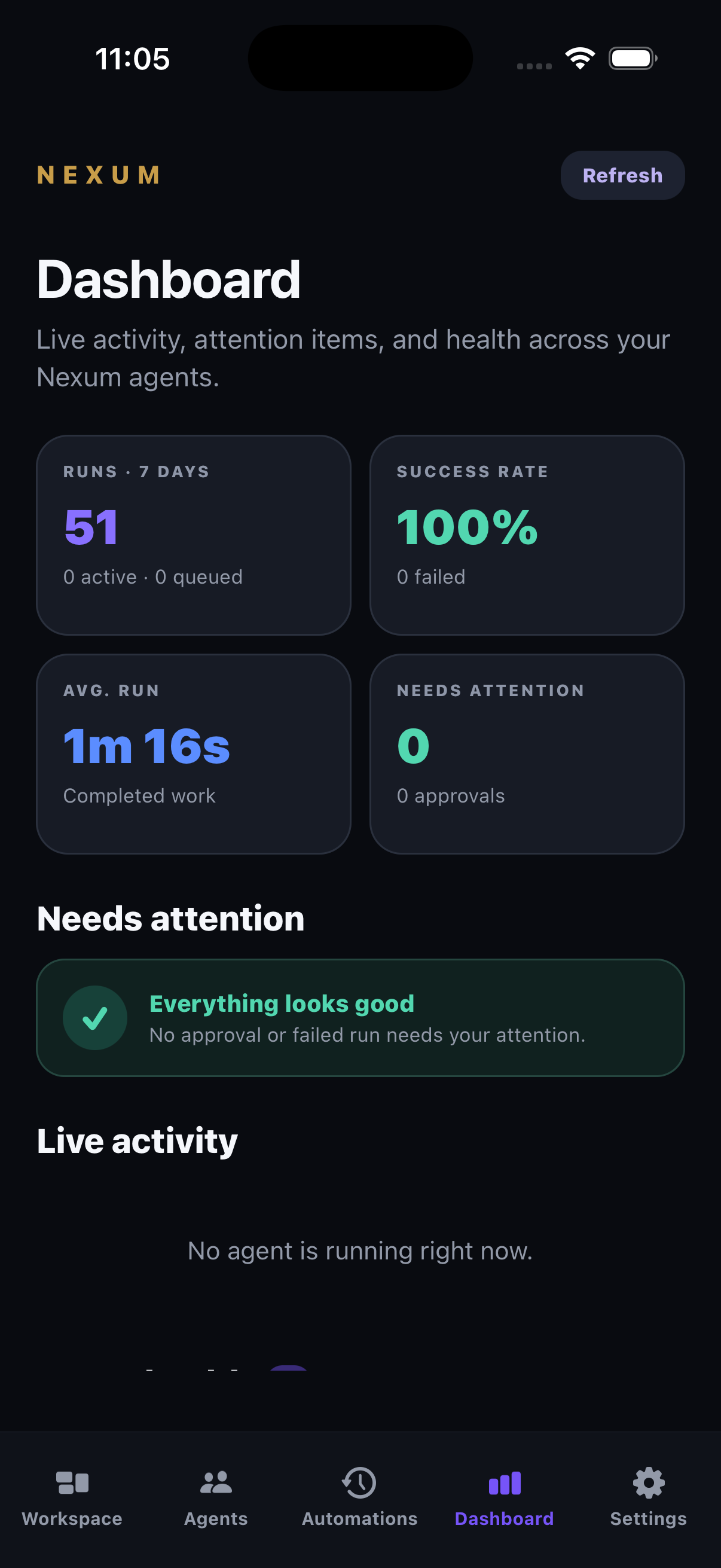
NEXUM MOBILE / SETTINGS
Manage agent preferences, connected services, AI access and device notification settings from one place.
Actual iOS pilot screen, captured in the simulator.
View full screenshot ↗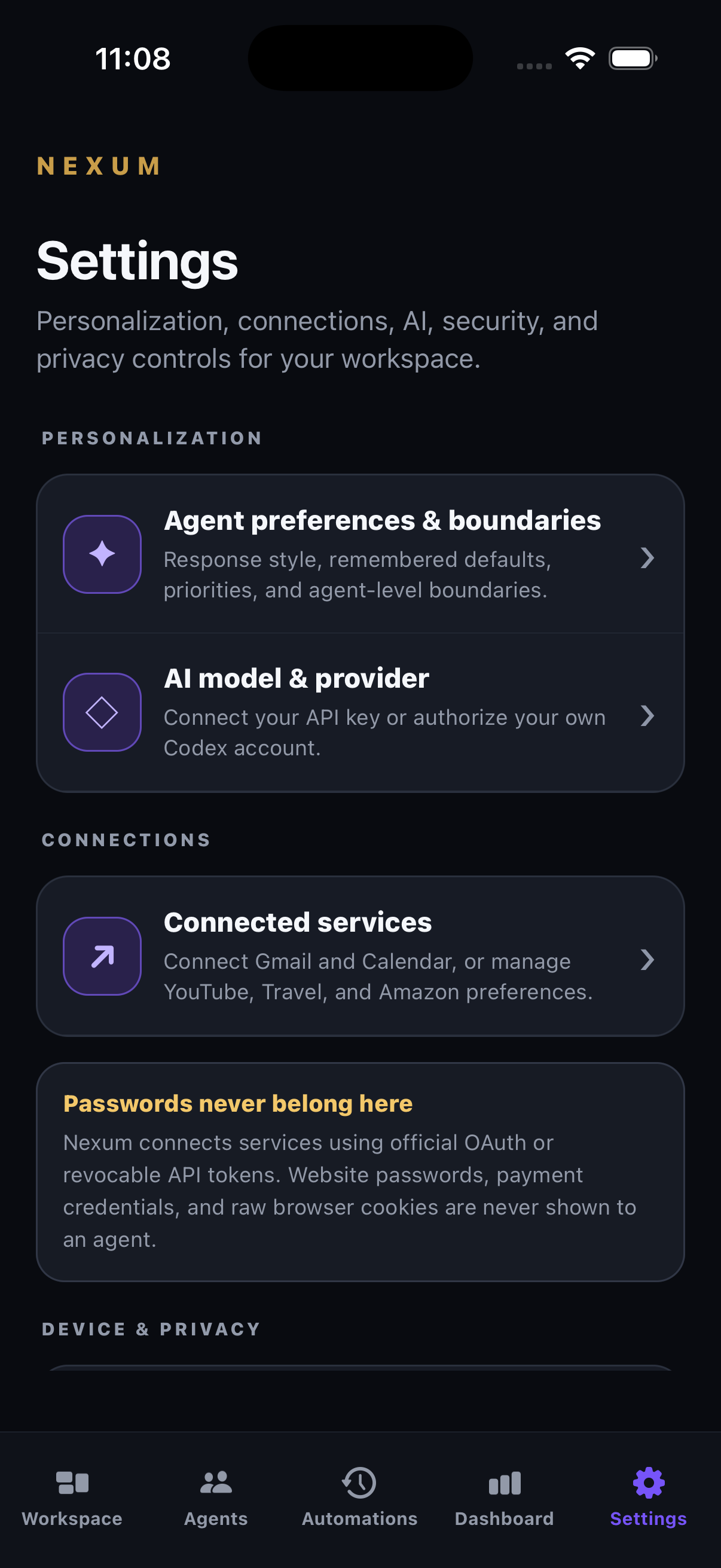
NEXUM MOBILE / AI CONNECTION
Workspace owners can add a provider API key or authorize their own Codex account through browser sign-in.
Actual iOS pilot screen, captured in the simulator.
View full screenshot ↗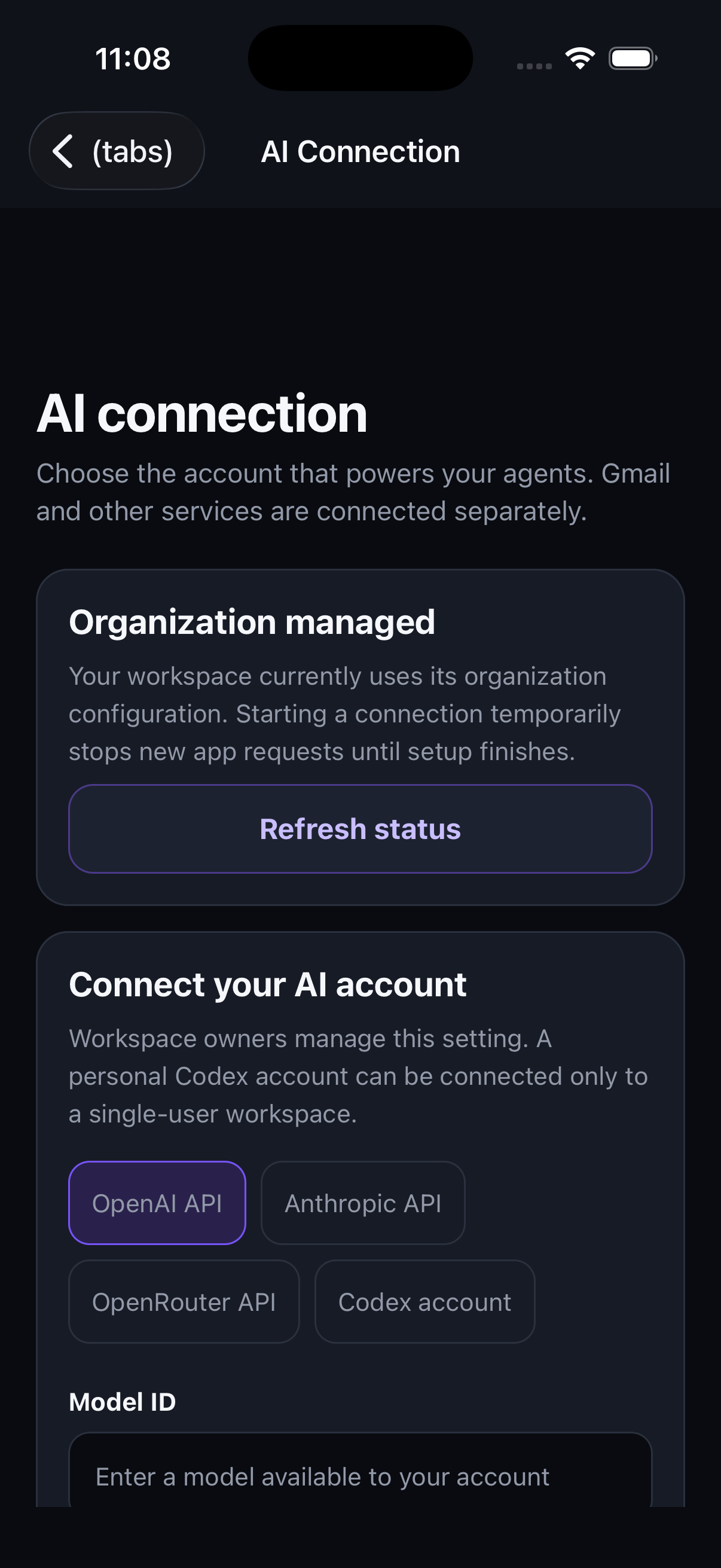
The interactive example below uses fictional content; the tour above shows actual app screens.
One conversation. Your whole team.
Illustrative workflows. No live accounts, messages, or agent actions.
Sample roster. Your workspace shows the agents enabled for your packs.
Your day, distilled
Connected email
Property research
Market context
Your game plan
Discovery & handoff
Illustrative automation · No job is created from this website.
The mobile app lets you configure the schedule, request a run, pause the routine and review history. Gmail requires your separate authorization.
See the actual mobile controls ↗Illustrative Dashboard · These numbers are sample data, not performance claims.
To: Alex Morgan <alex@example.com>
Subject: Next steps
“Thanks for your time today. I’ll prepare the overview for our next conversation.”
Preview only. No email will be sent.
An overview of app controls. These are illustrations, not live settings.
Type or speak to Main Agent in Nexum Mobile. Your request stays in one persistent conversation.
Main Agent routes work to your enabled specialists. Follow the handoff, see progress, and keep the context.
Review results, redirect the work, and approve consequential actions before they happen.
Voice queries join the same conversation as typed requests. Tap to record, stop when you’re done, and send the request to your selected conversation.
Let Main Agent coordinate or select an entitled agent for a direct handoff. The workspace keeps the handoff visible.
See the exact action awaiting approval. Supported native approval flows can ask for biometric confirmation before proceeding.
Connect Gmail and schedule a summary of the last 24 hours. Ask for important items, decisions, useful updates and next steps. Read results inside the app.
See active progress and specialist responses. Continue the conversation, stop an active request, and return to saved results rather than starting over.
Supported physical devices can receive generic notices when work completes or needs attention. Open Nexum for the content.
Owners can connect a supported provider API key or authorize their own Codex account. Personal Codex access is limited to a single-user workspace; provider limits apply.
Authorize Gmail and Calendar separately from your AI provider. Manage supported service connections and agent preferences in Settings.
Use supported file or photo attachments where enabled, speak a request, or type a follow-up. Review outputs before sharing or taking consequential action.
Nexum Cloud keeps your work within an authenticated customer workspace. Nexum Mobile gives you a clear view of what’s happening and what needs your decision.
Request a pilot. We’ll confirm your packs, release availability, supported device/build, and secure sign-in invitation. Public store links will appear after release.
Authorize supported services for your enabled workflows. Local apps, files, and browser sessions may require the optional Companion or a handoff.
Native and web capabilities may differ by build. Push requires a supported physical device. File and photo attachments require enabled storage and scanning services; supported types and limits are confirmed for your workspace.
Tell us what you want to take off your plate. We’ll help you find the right agents and plan your Nexum Mobile workspace.
Private pilot access is arranged with Nexum.
Already a customer? Use the sign-in invitation supplied for your workspace, or contact support.